
- Click Search in the left navigation.
- Enter the content you want to find, such as “CUDA”, and press Enter.
- Click a result to open its file at the matching subtitle position.
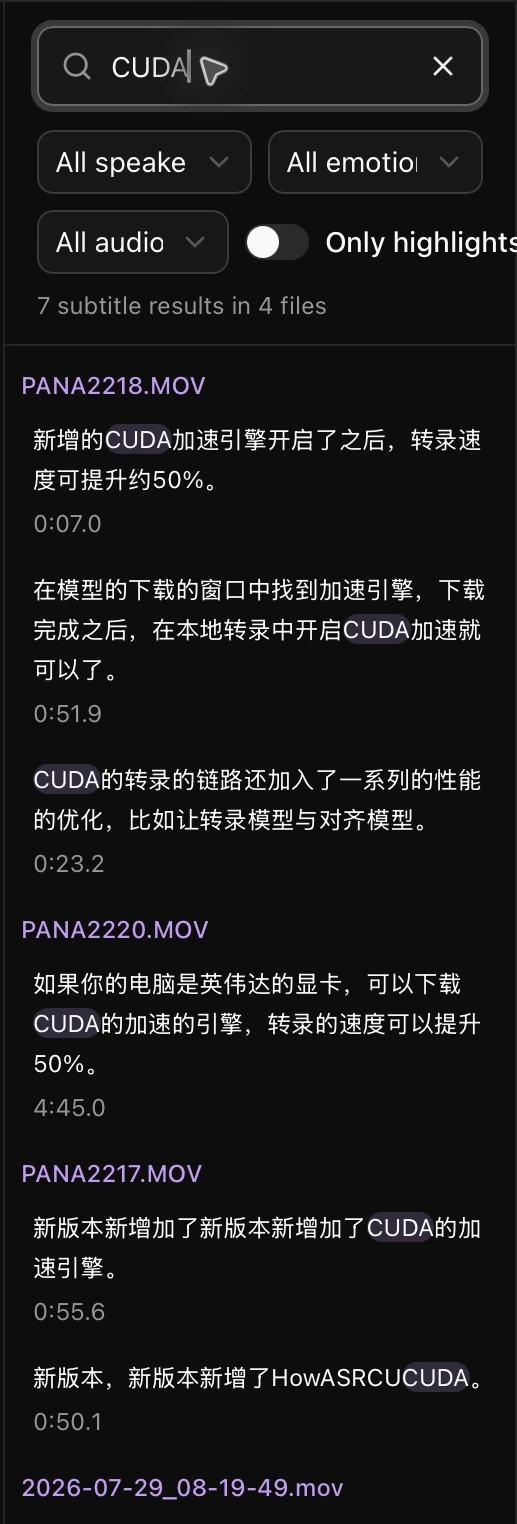
Filter by speaker, emotion, or audio event, or enable Only highlights. Search matches meaning, so the query does not have to match the original wording exactly.
If no results appear, check that your media has been transcribed and that both the text embedding and reranking models are installed.